
limacharlie Product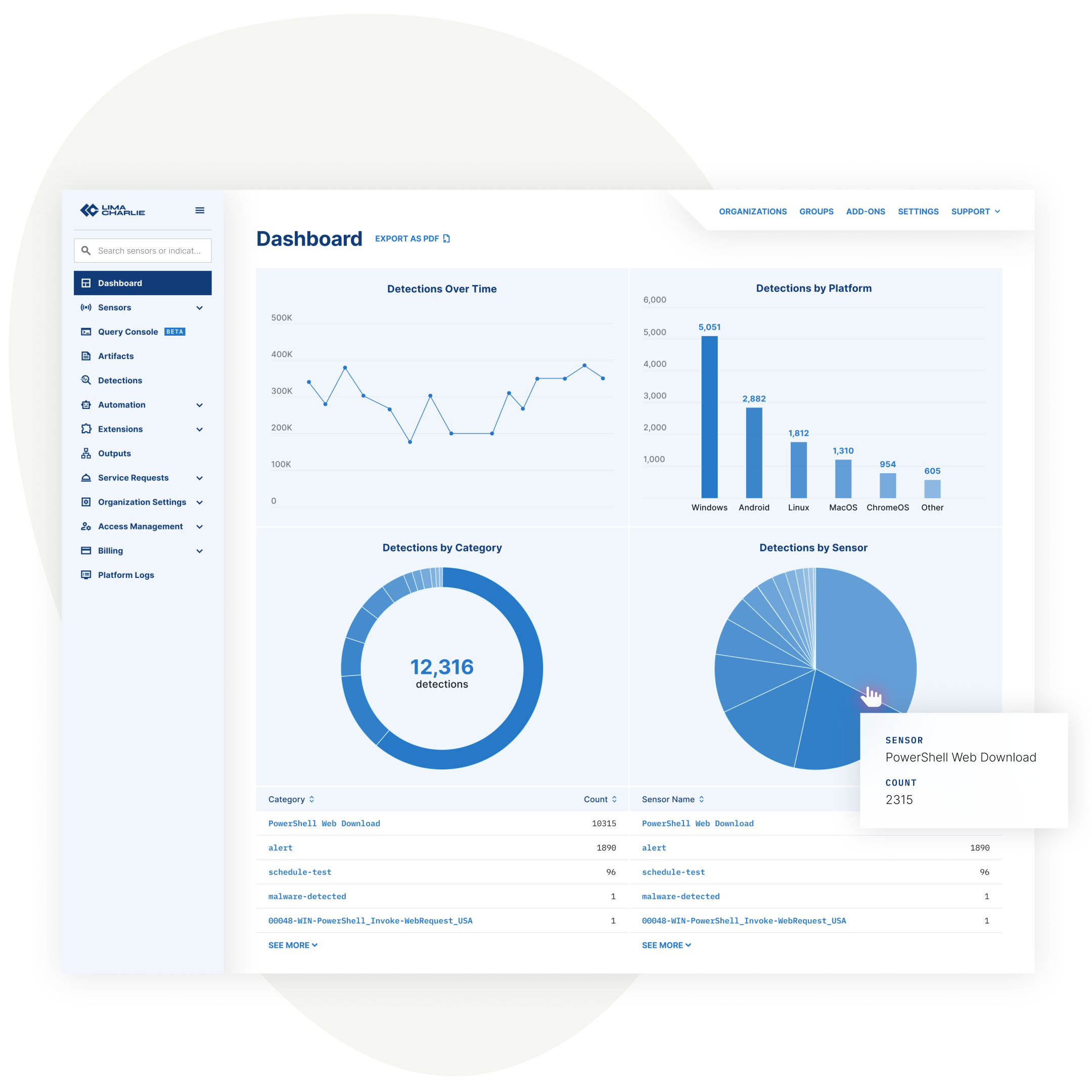
Built to Be Used
LimaCharlie packs detection, investigation, and response, all in one security platform. When I joined, the product had been built feature by feature, by different engineers at different times, with no shared visual language or clear information hierarchy.
My first move was to map the entire product into a coherent information architecture: primary navigation, universal controls, and clear work areas, along with repeatable patterns across onboarding flows, actions, and data displays. To keep the work grounded and defensible, I built a board to track the relaunch and ran weekly sprint calls with the engineering team throughout. I worked directly with the VP of Engineering on scope and sequencing, and interviewed internal and external subject matter experts so design decisions held up under scrutiny, not just preference.
We split the rollout into three phases, with success criteria for each. The first, a five month soft launch, focused on the most used features, the restructured IA, and a consistent visual system. The second carried that same system through the rest of the app. And the third introduced major new capabilities, including a search console and new dashboards.
Grid
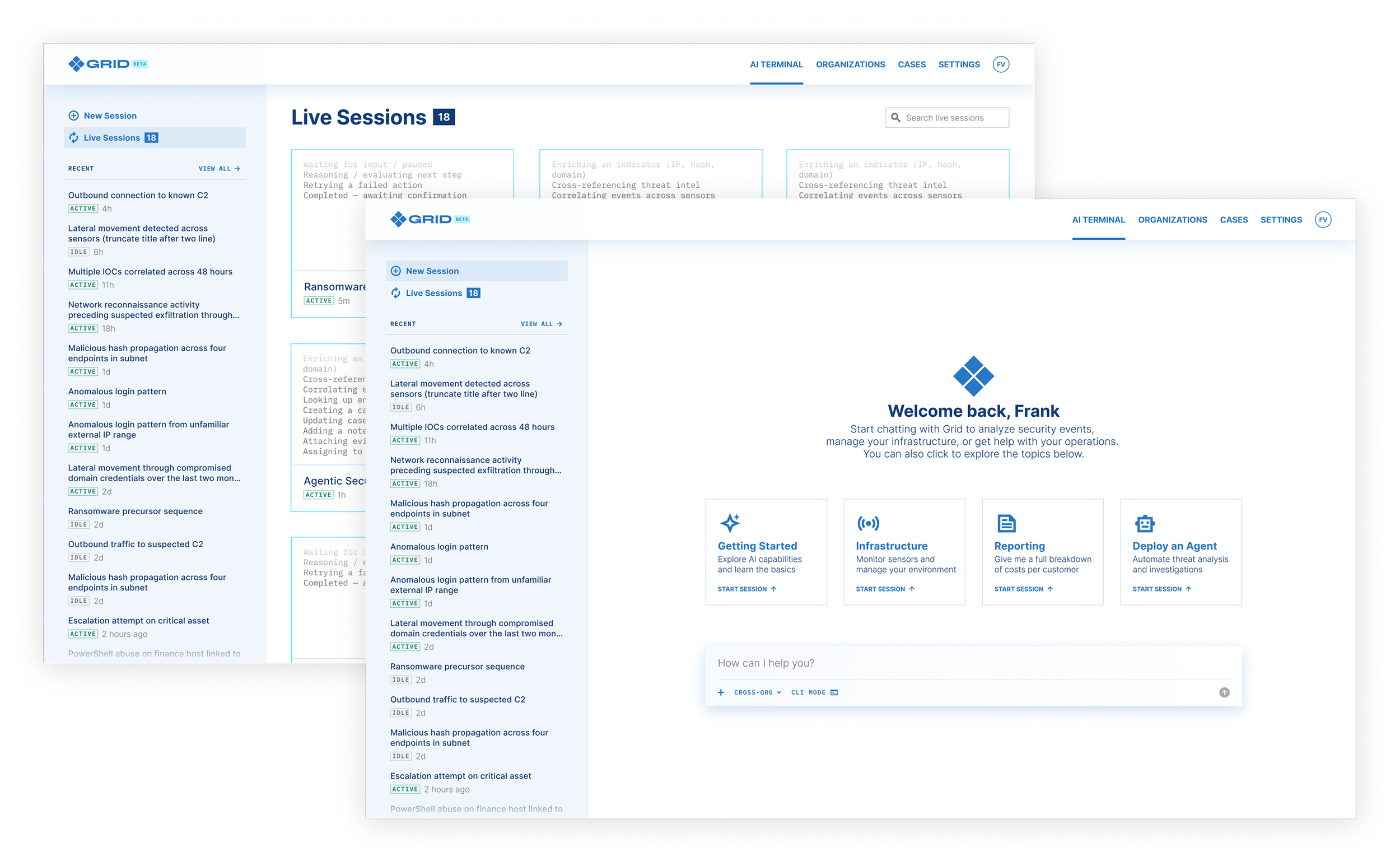
AI-driven features were shipping faster than we could think them through, compromising the product’s usability. To mitigate this, we built Grid, a beta product that sits on top of LC. From an early stage I worked directly with the VP of Engineering to shape the solution and build its information architecture. I then worked with a team of engineers to build the core interface, including chat and agentic workflows, and shipped it on a tight timeline.
The Help Center
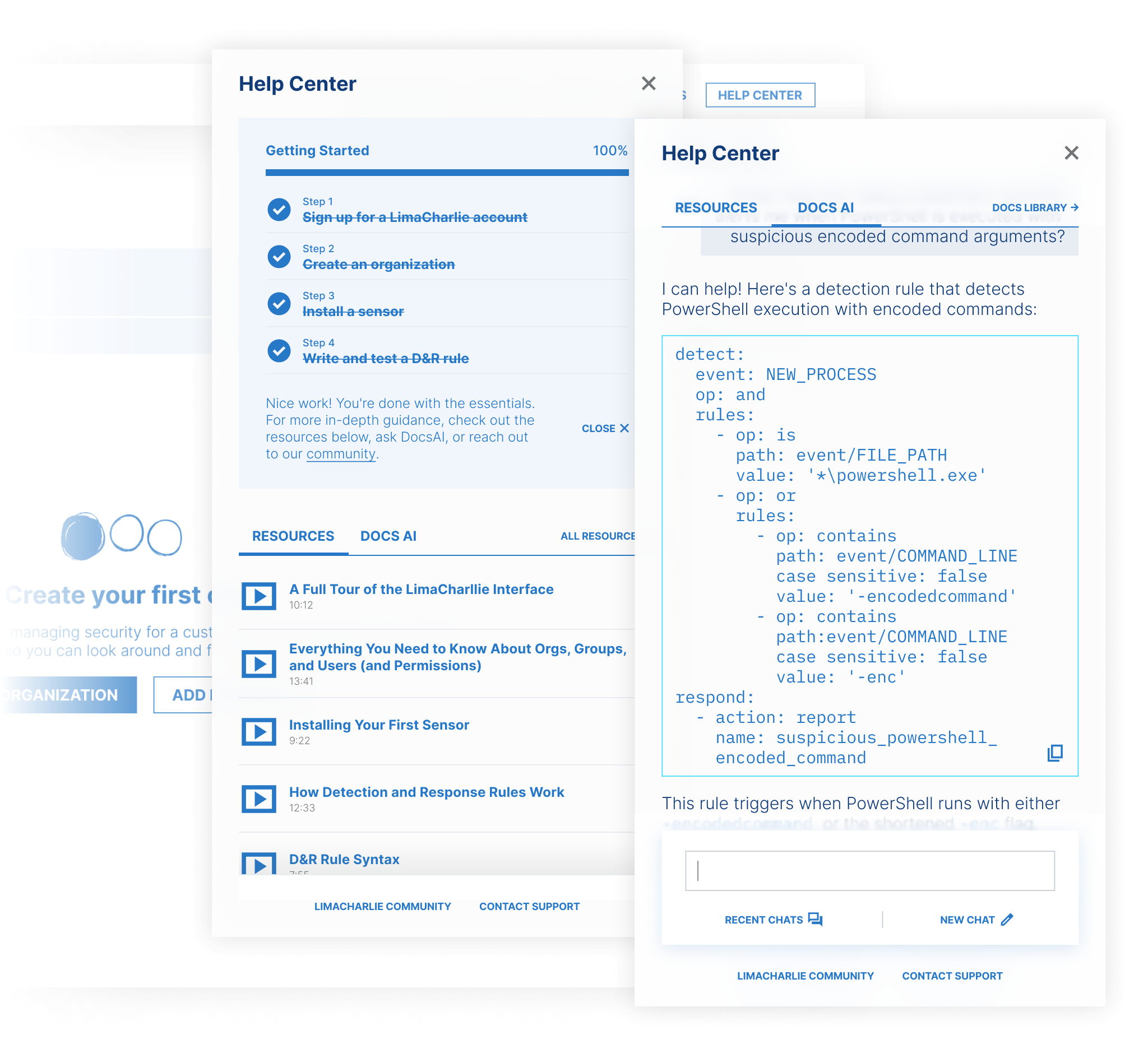
Onboarding had been a known issue for a while, but it kept losing out to higher-priority work. Once the relaunch was completed, it stopped being optional. Here's what I built to fix it:
Audit every zero state and build real actions into them
Build a progress tracker for the first few essential steps
Bring in a contextual resource library that surfaces videos and articles, specific to where you are in the app
Add a documentation bot pulled from our docs library so users can get technical answers without leaving the product.
Together, those four pieces made up the Help Center, built so new users could find their way around. Onboarding tickets dropped noticeably after launch, though the numbers were too small to be conclusive.
“Excellent communication, very good direct collaboration with engineers, where Amer not only worked with, but led a team of engineers on large UX-heavy projects, notably a UI refresh of the entire LimaCharlie app.”
Dmitri Zimine
VP Engineering, LimaCharlie